Skip Navigation or Skip to Content
NEW: TOSI AI CONNECT

TURN OT DATA INTO ANSWERS WITH YOUR AI.
Connect your AI tool to Tosi Control to get answers, scheduled reports and notifications about your sites. It's read-only and part of every Tosi platform subscription.

hero-slide-1-visual
FREE 10-DAY TRIAL

WATCH THE REPLAY, THEN TRY IT FREE FOR 10 DAYS.

See Hosi Bayatpour connect an AI to Tosi Control from a blank screen. Then try Tosi AI Connect yourself on our demo system, with no company data or approvals needed.

hero-slide-2-dashboard

WHAT IS TOSI AI CONNECT?

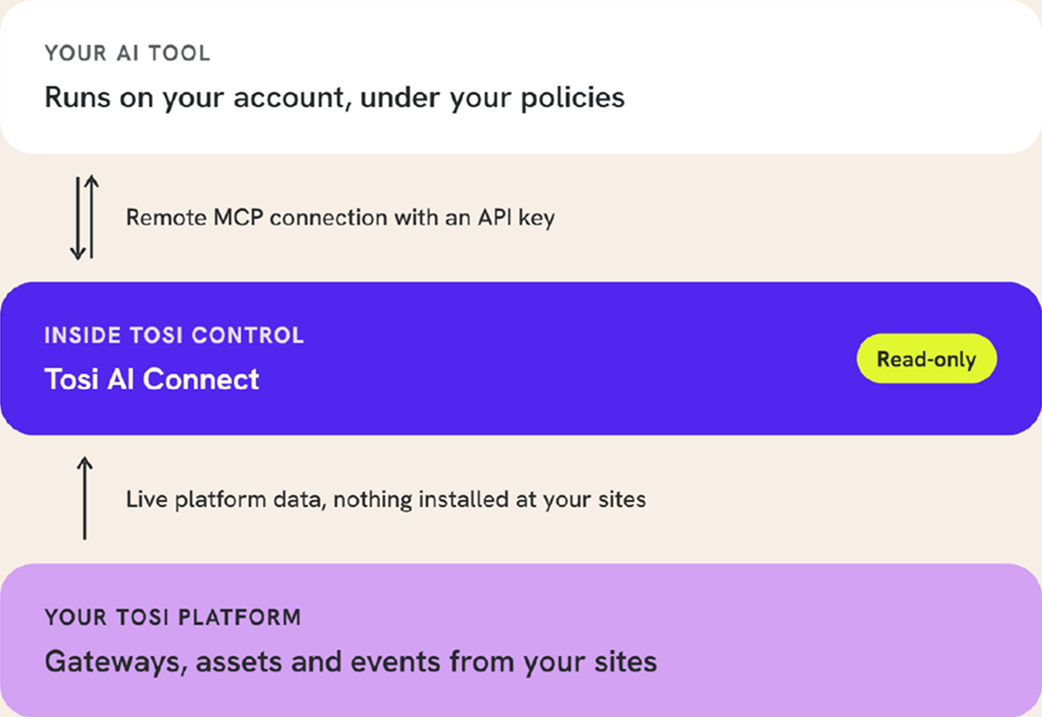
Tosi AI Connect is built into Tosi Control, the management console for the Tosi platform. It connects the AI tool you already use to the data your Tosi platform produces about your sites. It works today with AI tools that support remote MCP connections and API key authentication, such as Claude Desktop, and support for more AI tools is planned by the end of October.

You ask questions the way you'd ask a colleague. Your AI finds the answer in live platform data and explains it. It can read that data, but it can't change anything on your network. You run the AI on your own account, and your team decides what to do with what it finds.

Asset 1@4x 2

WHO IT HELPS

OT ENGINEERS

See how many gateways are online, which assets have gone quiet and who accessed a site, without building a report.

COMPLIANCE LEADS

Ask your AI to assemble evidence for an audit, such as ISO 27001, from access logs, user activity and asset inventory.

SECURITY TEAMS

Pull events into your own tools, or ask your AI to write the integration from Tosi's published API specification.

OPERATIONS MANAGERS

Have your AI review the network on a schedule, send you a prioritized summary and email the right person when something needs attention.

IT TEAMS

Understand the OT network without in-house OT specialists, with your AI explaining what it finds.

HOW IT WORKS

Nothing is installed at your sites, and nothing changes inside your OT network.

01

Create an integration.

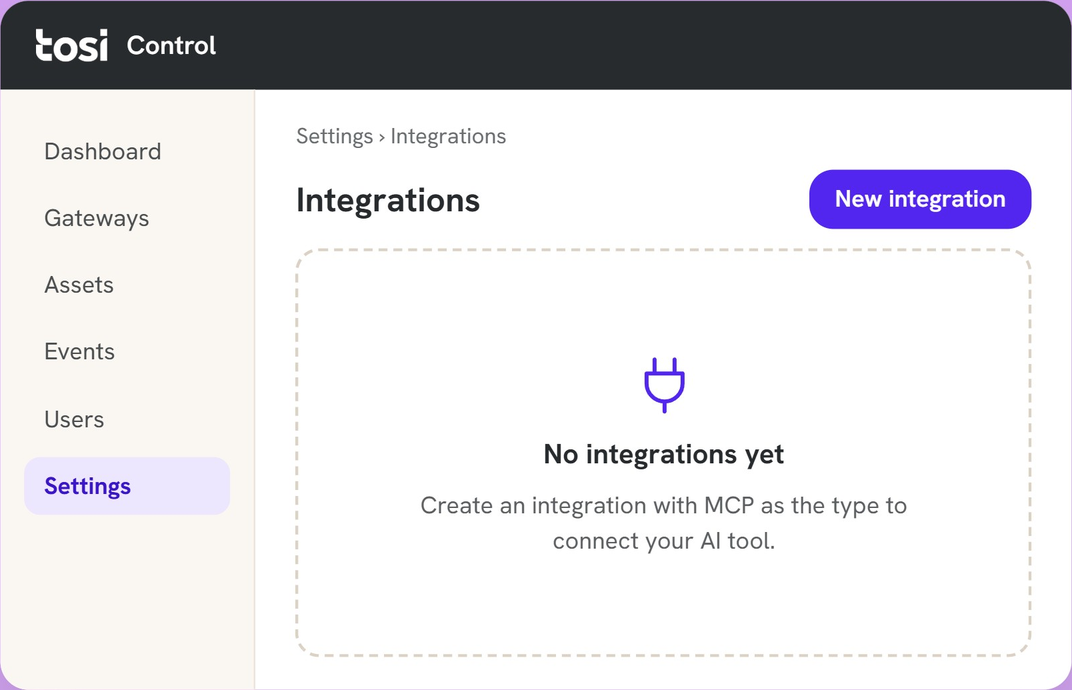
A Tosi Control administrator opens Settings, selects Integrations and creates a new integration with MCP as the type.

02

Choose what the AI can see.

You can give it every gateway and asset or limit it to the ones you name.

03

Copy your endpoint and key.

Tosi Control generates an endpoint URL and an API key. Store the key somewhere secure, such as a password manager.

04

Ask your AI to set up the connection.

Every AI tool sets up MCP a little differently, so the simplest way is to give your AI the endpoint and key and ask it to walk you through the setup.

05

Start asking.

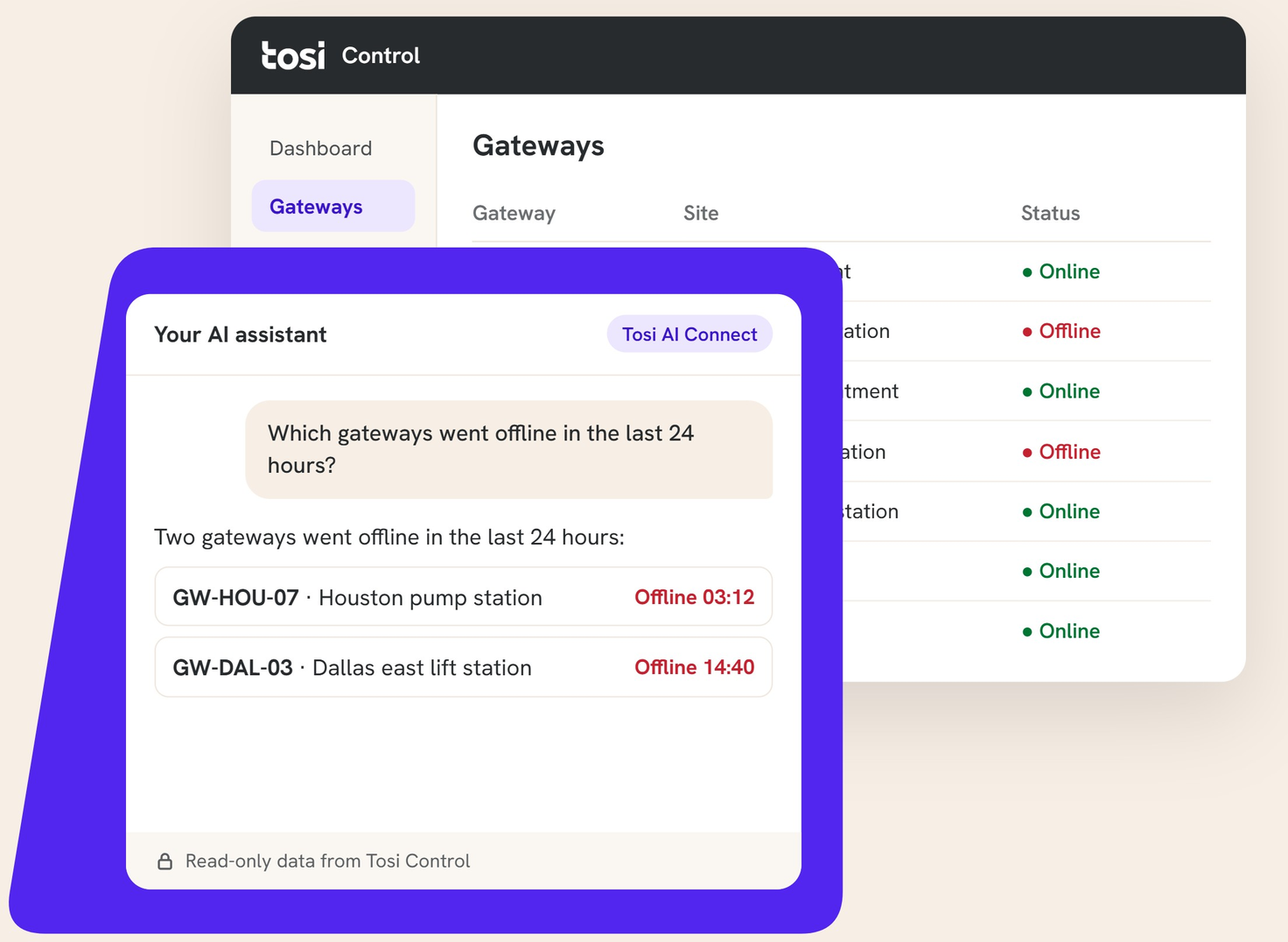
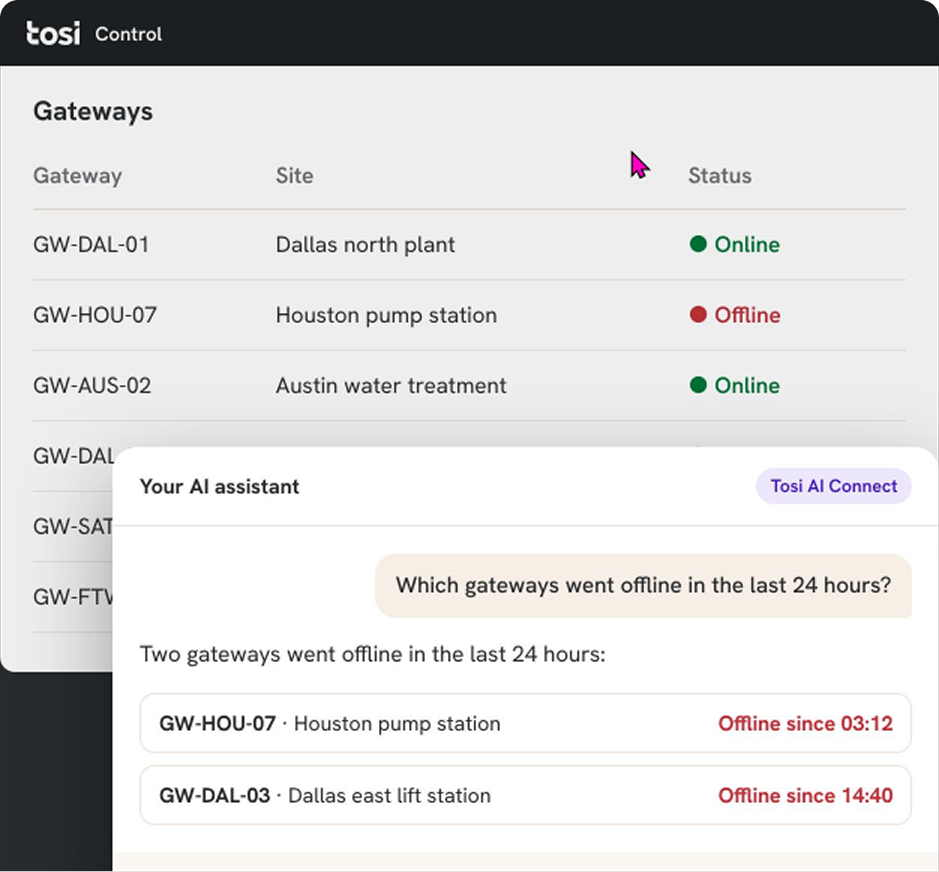
Try "Which gateways went offline in the last 24 hours?"

BUILT SO YOU STAY IN CONTROL

Read-only access.

Your AI can query platform data, but no Tosi AI Connect tool can send a command to a gateway, an asset or the network

Administrator-issued keys.

Only a Tosi Control administrator can create an integration and its key, and keys can be set to expire.

Scoped data.

TEach integration can be limited to named gateways or assets.

Your AI, your policies.

You choose the AI tool and run it under your own account. Tosi doesn't supply or host a model.

People make the decisions.

Your AI reports what it finds, and your team decides what to do.

MAKE YOUR AI YOUR OT ASSISTANT

You can ask your AI to review the network on a schedule, write you a prioritized summary and email the right person when something needs attention, all in plain English. You can also ask it to explain each finding the way an IT security analyst would coach an OT colleague, so your team builds security skills while it works. If your AI tool is connected to your email, it can send each summary to your inbox.

When a Tosi engineer set this up on our own internal network, Claude checked it every hour and reported findings like these:

Network review

Checked every hour

HIGH

A gateway has been offline for three and a half days after a connectivity loss with no restore. The building management controllers behind it can't be reached. Check the site's power and WAN uplink, and ask the site contact whether work was planned.

MEDIUM

A security system controller is offline, but its gateway reports no connectivity loss. The problem is likely the device or its local network, not the WAN.

LOW

An IP phone at a wastewater site is offline while its gateway is online. Check the phone's power over Ethernet.

This example comes from Tosi's internal environment, not customer data, and has been shortened with identifying details removed.

WHAT'S INCLUDED

Tosi AI Connect is part of every Tosi platform subscription and works the same way at every level.

WHAT YOUR AI CAN QUERY

EVERY SUBSCRIPTION

Gateways, assets and events, including inventory, online status, WAN connection monitoring, devices going online and offline, and Tosi Control user activity such as logins and configuration changes.

WHAT YOUR AI CAN QUERY

WITH TOSI HUB

Additional events, including access logs and VPN usage. Tosi Hub comes with Professional and the Tosi Enterprise package.

WHAT YOUR AI CAN QUERY

WITH THE TOSI INSIGHT

Insight alerts, plus a companion connection to Insight's full data from mid-October 2026, including top talkers, traffic volumes by device and behavioral findings.

QUESTIONS YOU CAN ASK

Here are a few questions customers ask first. Some use data from Tosi Hub or Tosi Insight.

"How many of our gateways are online right now?"

Every subscription

"Which gateways went offline in the last 24 hours?"

Every subscription

"Which assets haven't reported recently?"

Every subscription

"Which gateway has the worst connection stability?"

Every subscription

"Give me an audit summary of user access changes from the last week."

Every subscription

"Who accessed our Houston site last week?"

With Tosi Hub

"Which devices have behaved unusually in the last seven days?"

With Tosi Insight

SEE TOSI AI CONNECT IN ACTION.

FREQUENTLY ASKED QUESTIONS

Which AI tools work with Tosi AI Connect?

Today it works with AI tools that support remote MCP connections and API key authentication, such as Claude Desktop. Support for more AI tools is planned by the end of October, and your Tosi team can check whether yours works.

Can the AI change anything on my network?

Does Tosi provide the AI model?

Do I need to install anything at my sites?

Who can set it up?

Is it included in my subscription?

ready to ask your ai about your sites?

Watch Hosi Bayatpour connect an AI to Tosi Control from a blank screen and run questions from live attendees.